
Download World Explorer – Interactive Geography Tool for Mac, Free & Secure
Overview: Explore the World from Your Mac
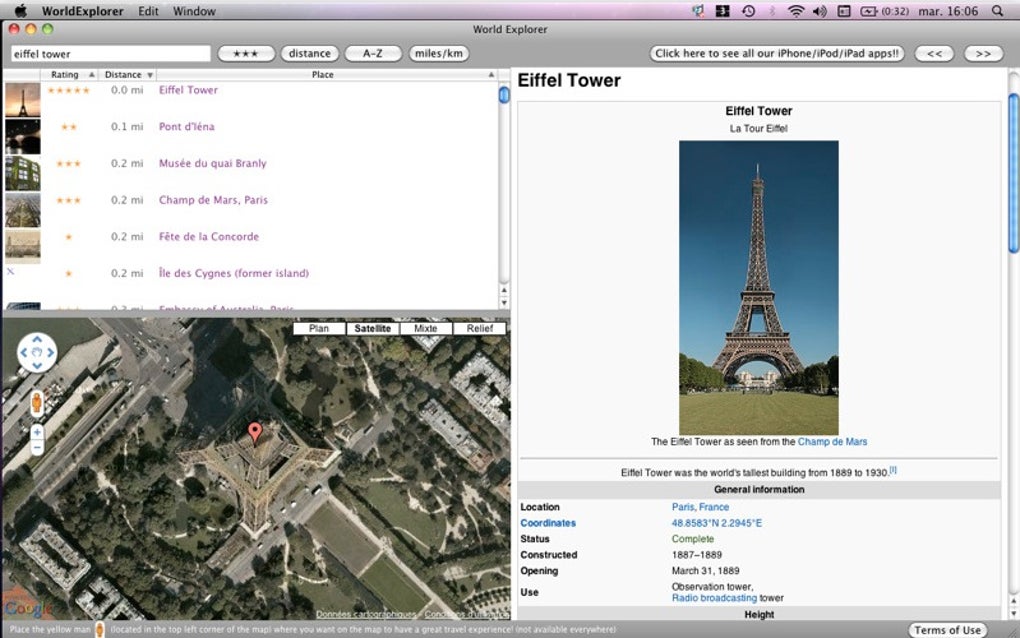
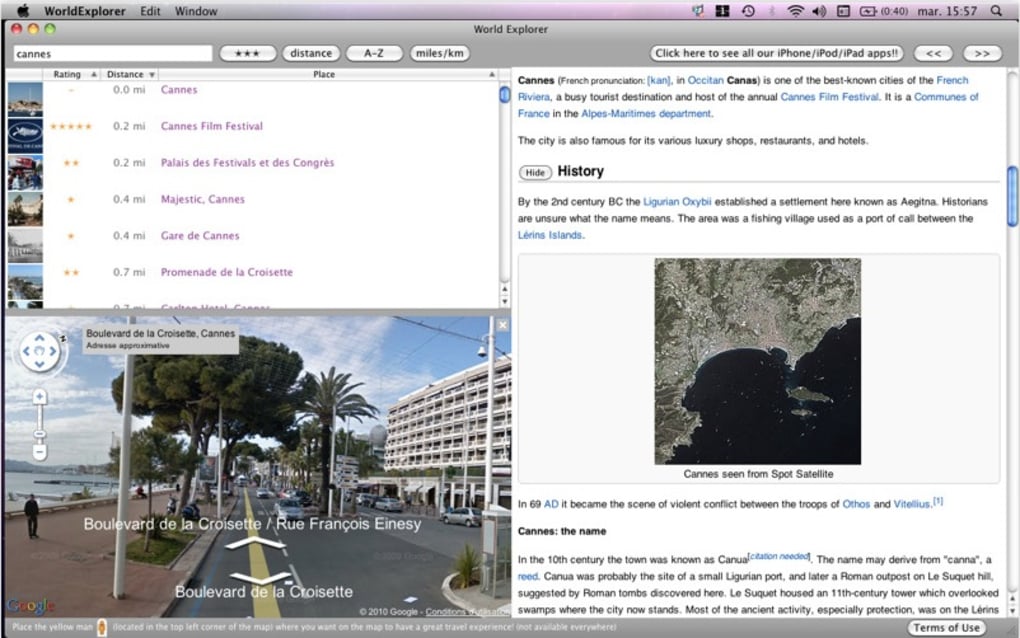
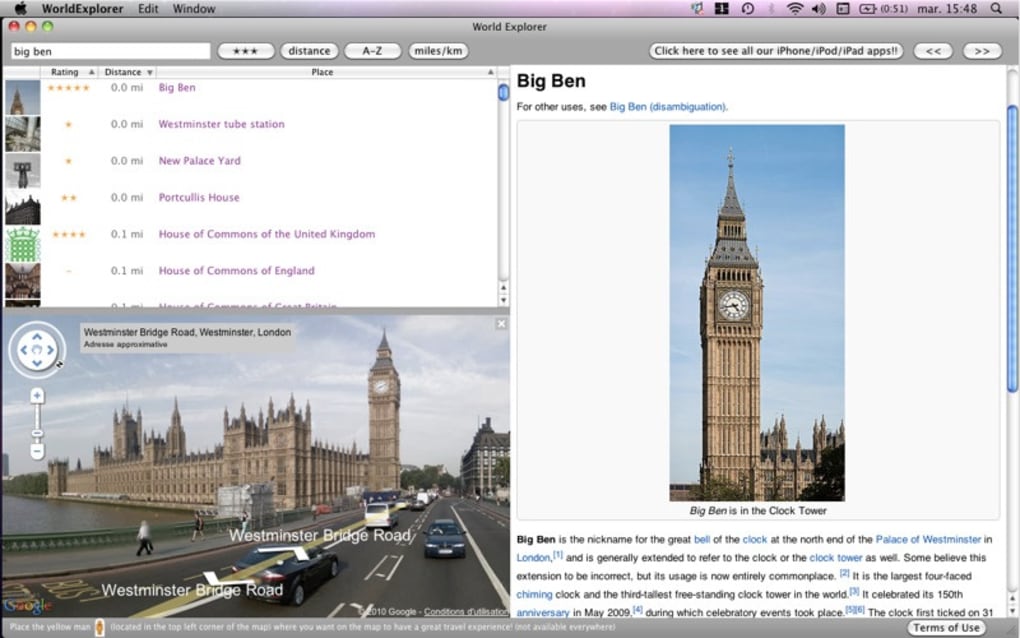
World Explorer is a beautifully crafted learning application designed for macOS that turns the overwhelming abundance of online geographic data into a focused, engaging experience. By integrating Google Maps, Street View, and Wikipedia, the app offers an all‑in‑one platform where users can virtually visit more than 350,000 locations, discover iconic landmarks, and plan real‑world trips without ever leaving their desk. The interface is built around an easy‑to‑navigate map window that highlights popular sightseeing spots, while a set of geo‑location tools lets you pinpoint exact coordinates for future visits. Even though the navigation pane is modest in size and 3‑D street viewing is currently unavailable, the seamless blend of visual mapping with concise encyclopedia entries makes World Explorer a standout educational companion for students, travel enthusiasts, and anyone curious about the planet’s diverse cultures and terrains. Whether you want to calculate distances between famous sites, dive into the history of a museum, or simply satisfy a wanderlust impulse, World Explorer delivers a secure, free‑to‑download solution that runs smoothly on modern Mac hardware.
Key Features & Learning Benefits
- Integrated Google Maps & Street View: Access high‑resolution satellite imagery and panoramic street-level photos for over 350,000 global locations.
- Wikipedia Contextual Overlays: Each point of interest automatically pulls a concise Wikipedia summary, giving historical and cultural background without extra clicks.
- Distance Calculator: Instantly compute the straight‑line distance between any two hotspots, perfect for classroom exercises or travel planning.
- Geo‑Location Tools: Enter an address, coordinates, or place name to jump directly to the spot on the map, making it easy to locate obscure destinations.
- Trip Planner: Create custom itineraries by selecting multiple locations, then export the route for use in external navigation apps.
- Search & Filter Options: Filter by category (e.g., museums, natural wonders, UNESCO sites) to focus study sessions on specific themes.
- Offline Map Caching: Save frequently visited maps for faster loading and reduced data usage.
- Secure & Free Download: The application follows macOS security guidelines, offering a free installation without hidden fees.
The combination of visual exploration and instant factual data encourages active learning. Students can practice geography drills by locating capitals, while travelers can preview routes before booking flights. The built‑in trip planner also supports exporting to GPX files, allowing seamless hand‑off to GPS devices or mobile navigation apps. By presenting information in bite‑size, visually rich chunks, World Explorer reduces cognitive overload and turns a typical map‑search experience into an interactive classroom or personal discovery session. The app’s design philosophy—simplicity paired with depth—means that beginners won’t feel intimidated, yet power users can still drill down into niche data sets, such as elevation profiles or historic map overlays, through optional plug‑ins that are slated for future updates.
Installation, Compatibility, Practical Usage, and Pros & Cons
Step‑by‑Step Installation on macOS
- Visit the official World Explorer website or the Mac App Store.
- Click the Download button – the file is a signed
.dmgpackage. - Open the
.dmgand drag the World Explorer icon into theApplicationsfolder. - Launch the app; macOS may prompt you to confirm that you trust the developer—click Open.
- On first launch, the app will request permission to access location services (optional) and to download map tiles; grant these for the best experience.
- Follow the on‑screen tutorial to familiarize yourself with the map navigation, search bar, and trip planner.
Compatibility & System Requirements
World Explorer runs on macOS 11 (Big Sur) and later, supporting both Intel‑based Macs and Apple Silicon (M1/M2) via native binaries. Minimum hardware specs include 2 GB RAM, 200 MB of free disk space for the application, and an internet connection for map and Wikipedia data. The app is optimized for Retina displays, ensuring crisp map tiles and legible text. While a small navigation window is currently fixed at 800 × 600 px, the UI automatically scales on high‑resolution screens, preserving usability.
Everyday Usage Tips
After installation, start by typing a city or landmark into the search bar; the map will zoom to that location and display a Wikipedia excerpt in the side panel. Use the Distance Calculator (found under the Tools menu) to select two points—click “Calculate” and the result appears in both kilometers and miles. For trip planning, click the “Add to Itinerary” button on each location you wish to visit; once your list is complete, select “Export GPX” to use the route on your smartphone. If you enable location services, the app can suggest nearby attractions based on your current GPS coordinates—a handy feature for field trips or spontaneous travel ideas.
Pros & Cons
- Pros
- Free, ad‑free, and regularly updated.
- Rich integration of maps, street view, and Wikipedia content.
- Intuitive distance calculator and trip planner for practical use.
- Lightweight on system resources; runs smoothly on older Macs.
- Secure download with Apple notarization.
- Cons
- Navigation window size cannot be resized, limiting detailed view.
- No built‑in 3‑D street view or virtual reality mode.
- Offline functionality limited to cached tiles; full offline maps require a future premium add‑on.
- Relies on external services (Google, Wikipedia); occasional API rate limits may cause brief loading delays.
Frequently Asked Questions & Final Thoughts
Is World Explorer really free, or are there hidden costs?
Yes, World Explorer is completely free to download and use. All core features—including map navigation, distance calculation, and Wikipedia integration—are available without a subscription. Future premium add‑ons (such as full offline maps) may be offered, but they are optional and clearly labeled.Can I use World Explorer on Windows or mobile devices?
Currently, World Explorer is a macOS‑only application. The development team has announced plans to release Windows and iOS/Android versions in upcoming years, but no official release dates have been set yet.How does the app ensure the security of my data?
The installer is notarized by Apple, and all map tiles and Wikipedia snippets are fetched over HTTPS. No personal data is stored on external servers unless you enable optional location services, which are processed locally and never shared without your consent.What should I do if the map tiles fail to load?
First, verify your internet connection. If the problem persists, clear the cache from the Settings → Advanced → Clear Cached Tiles, then restart the application. Most issues stem from temporary API rate limits or firewall restrictions.Can I export my itinerary to other navigation apps?
Yes. World Explorer allows you to export your saved route as a GPX file, which can be imported into popular GPS and mapping apps such as Google Earth, Gaia GPS, and many smartphone navigation tools.Conclusion: Ready to Explore the World from Your Mac?
World Explorer stands out as a secure, free, and richly featured geography companion for macOS users. Its seamless blend of Google Maps, Street View, and Wikipedia makes it more than just a map viewer—it’s a virtual classroom that sparks curiosity and simplifies trip planning. While the fixed navigation window and lack of 3‑D street view are minor drawbacks, they do not outweigh the educational value and ease of use the app provides. Whether you’re a teacher looking for an engaging way to teach world geography, a student preparing for a geography quiz, or a traveler drafting a next‑year itinerary, World Explorer equips you with the tools you need in a single, tidy package.
Download World Explorer today and start turning the world’s endless data into a personalized learning adventure. Click the button below, follow the simple installation steps, and let your curiosity guide you across continents—right from your Mac.







